SCRIBBLE
Meet someone new and discover hidden gems in the city together through mysterious quests
DESIGN → CODE · AI-ASSISTED DEV · GOOGLE MAPS API
ROLE
Product Designer & Developer
TEAM
Solo
TIME
Mar-May 2026
THE PROBLEM
Social apps make it easy for people to connect, but harder to turn those connections into meaningful relationships.
MARKET/COMPETITOR ANALYSIS
Analyzing existing apps in the market
I studied products like Beli, ClassPass, and Strava that provide similar online-to-offline experiences, but users often go out with existing friend groups. I also looked at Bumble BFF, Hinge, and Tinder, which aim at meeting someone new but often start out awkward, with no shared activity to anchor the first meetup.
WHAT I FOUND
BELI
GETS PEOPLE OFFLINE
✓
DO IT WITH FRIENDS
✓
MEET SOMEONE NEW
—
STRAVA
GETS PEOPLE OFFLINE
✓
DO IT WITH FRIENDS
✓
MEET SOMEONE NEW
△
CLASSPASS
GETS PEOPLE OFFLINE
✓
DO IT WITH FRIENDS
✓
MEET SOMEONE NEW
—
SCRIBBLE
GETS PEOPLE OFFLINE
✓
DO IT WITH FRIENDS
✓
MEET SOMEONE NEW
✓
THE GAP
Existing products help people do things with people they already know, but few are designed to help a new connection become a real relationship.
DESIGN OPPORTUNITY
Design for what happens after people connect online.
USER RESEARCH
Key insights to a long-lasting friendship
Through interviews, I found that relationships are more likely to stick when people share common interests and bond over experiences outside their normal routines. Having shared interests is what brings people together. Spontaneity brings excitement and makes relationships stick because you'll have shared memories that you can always look back on.
USER QUOTE
"We were already in the same club, but when we went to LA together, it felt different. We were in a new setting. It's a contributor to what makes it exciting. We did things that were out of our normal routines."
DESIGN OPPORTUNITY
What if a social app didn't just help you find someone, but gave you something to do together?
DESIGN PROCESS
AI-assisted development workflow
01 — SKETCHING & PROTOTYPING WITH AI
01 — EXPLORE
I started by sketching Scribble's core interactions and translating early ideas into rough wireframes.
02 — PROTOTYPE
I prompted Claude to rapidly prototype the wireframes, helping me explore how the interactions could work before committing to a direction.
03 — DECIDE
Seeing the ideas in action helped me prioritize the MVP scope and define the core user flow.
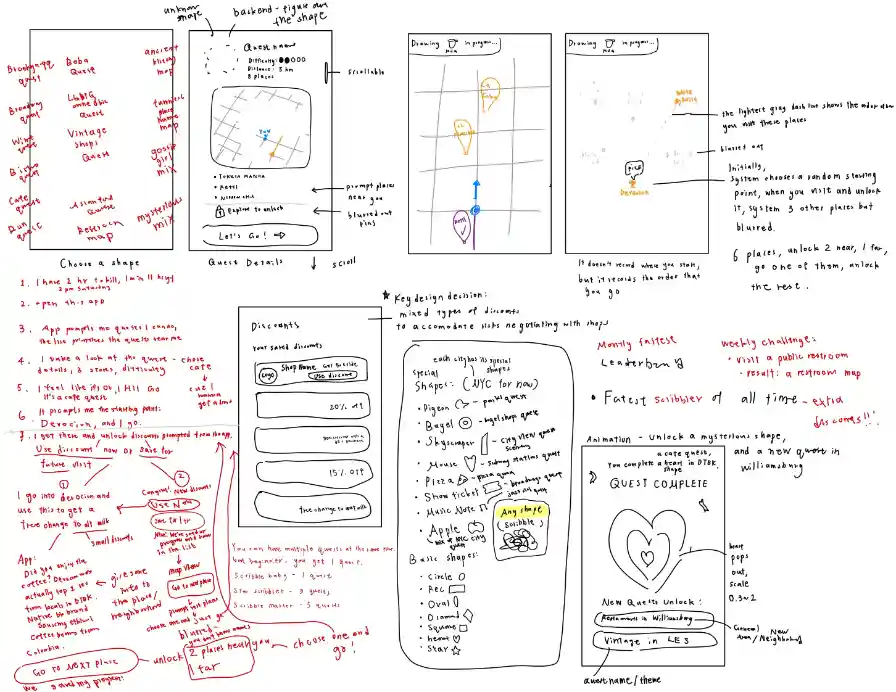
Sketch 1: Early ideas on different themes of quests (NYC-focused) · quest detail page · drawing mechanics · discounts & rewards · shape-to-theme matching
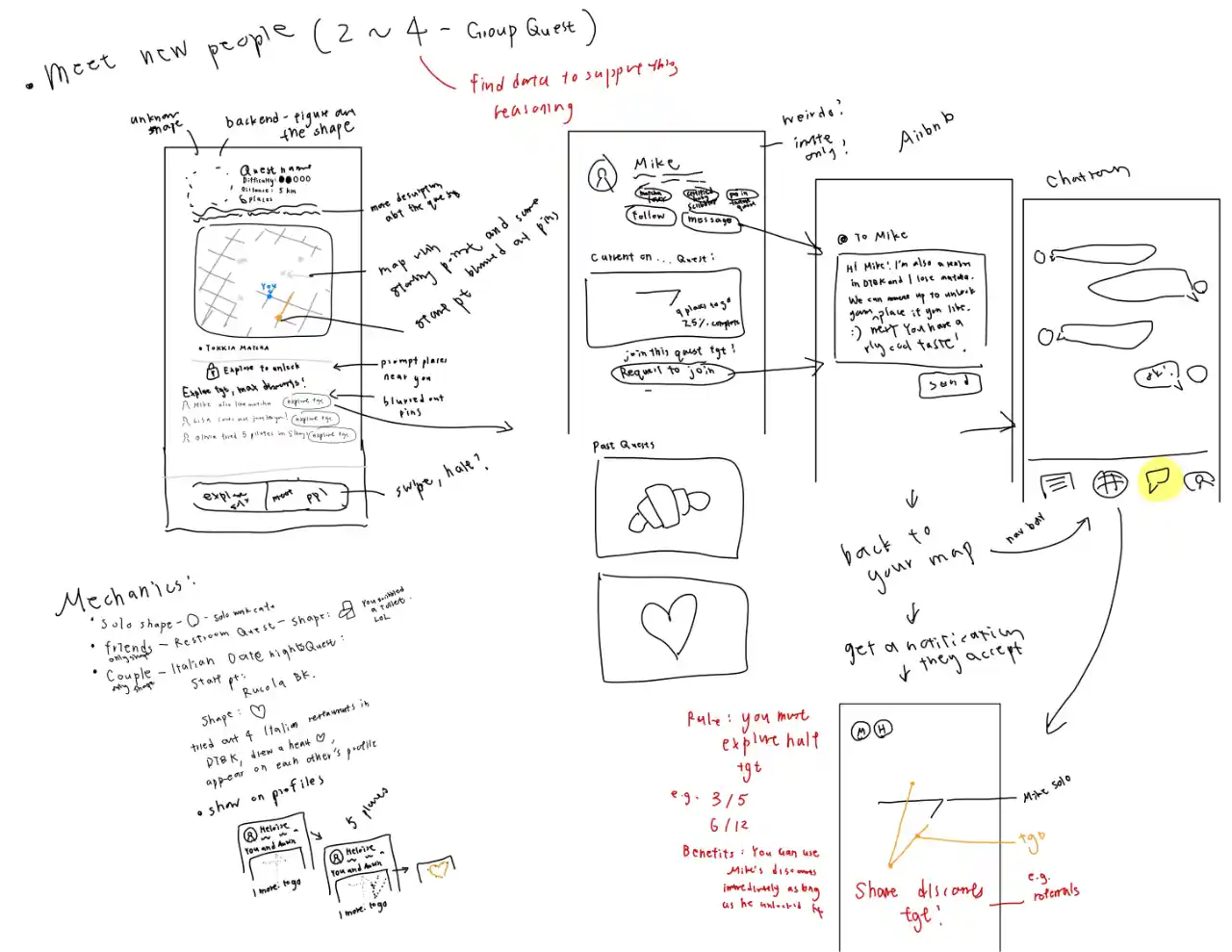
Sketch 2: Thinking through logics of multi-user mode (2–4 players) · edge case handling (mid-quest joins) · group mode logic · shared progress rules · in-app chat · invite system
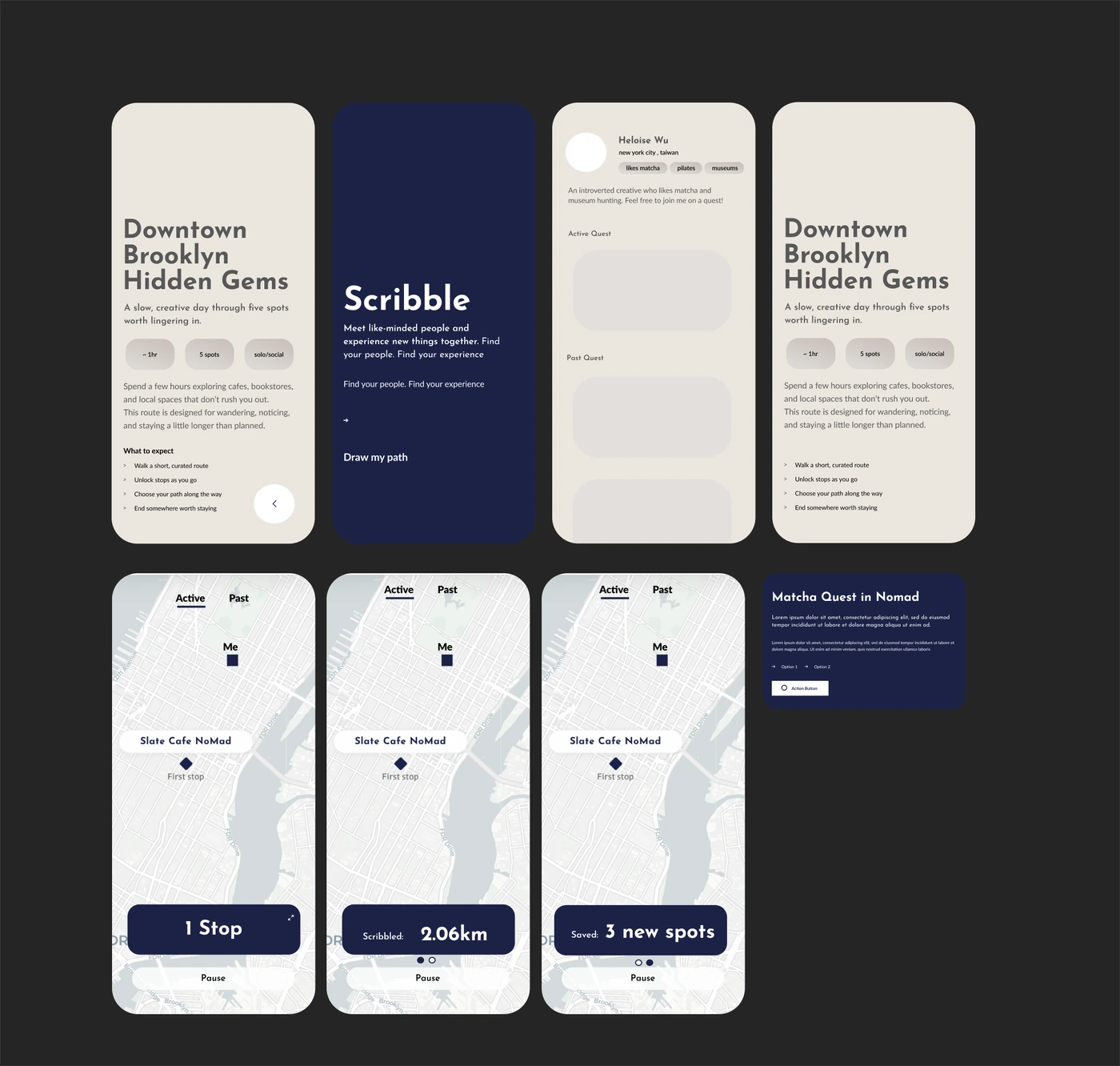
Mid-fi prototype I did in Figma
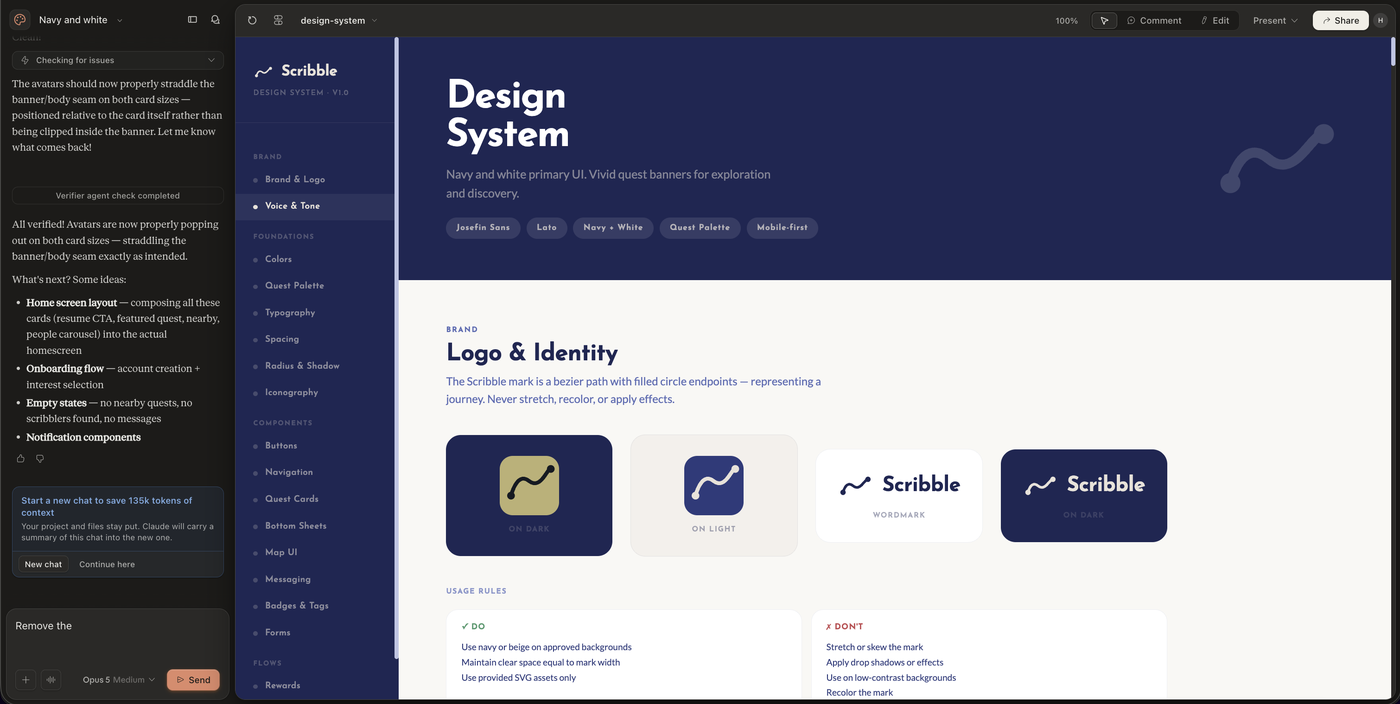
Claude Design generated Design System with my chosen fonts and colors
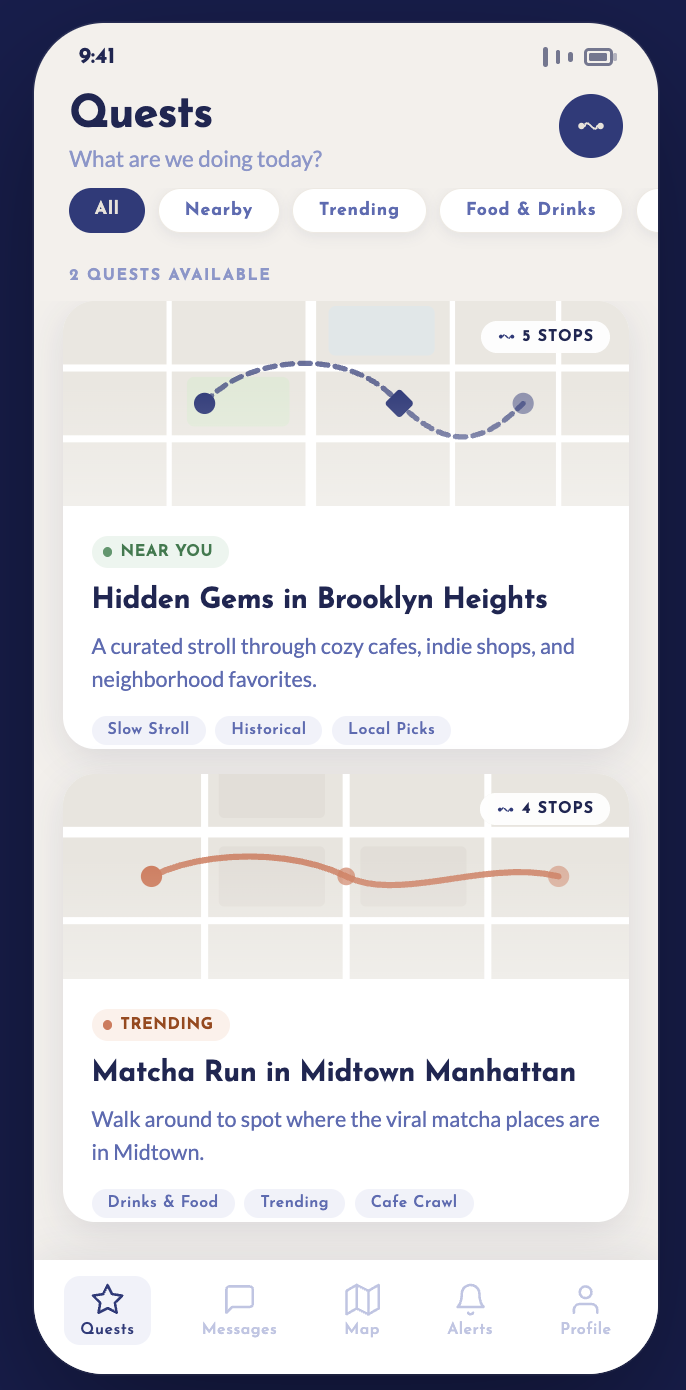
Quest selection page generated by Claude Design
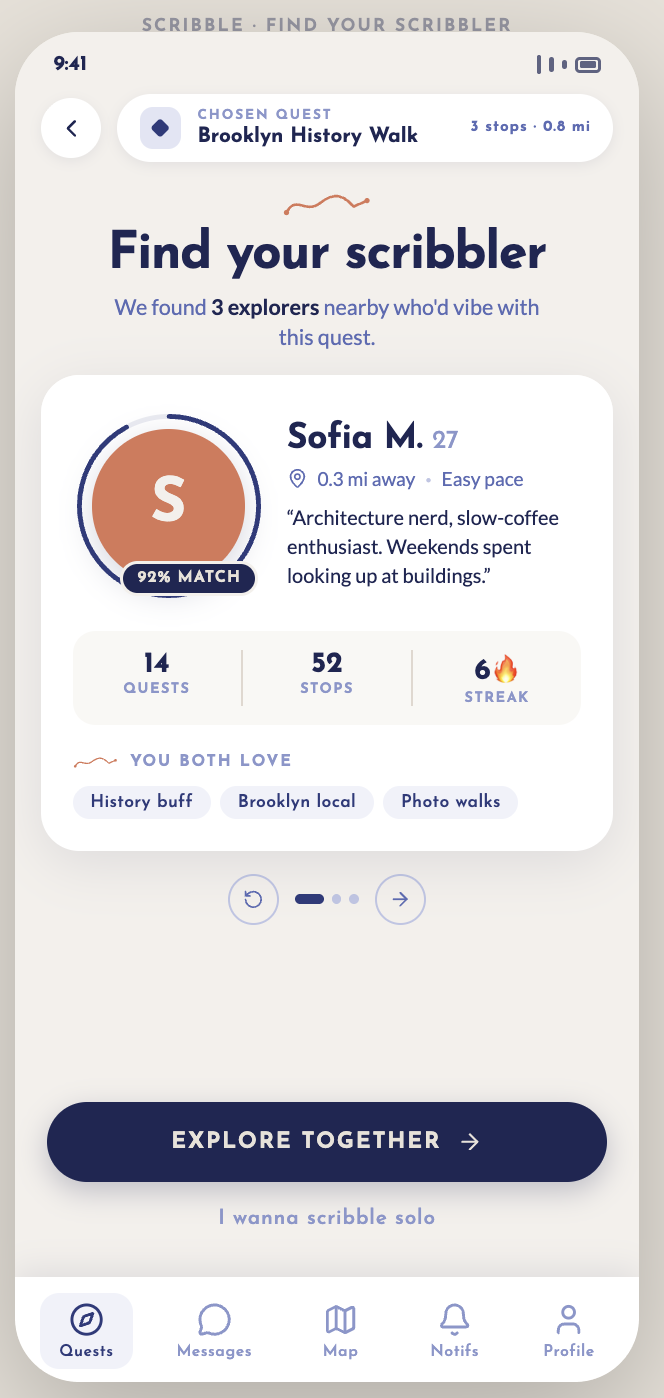
Find your scribbler page generated by Claude Design
03 — FROM DESIGN TO CODE
Prototype 01 · One Mysterious Stop
WHAT I TESTED:
Will people actually follow Scribble to a mysterious stop?
REAL-WORLD TEST
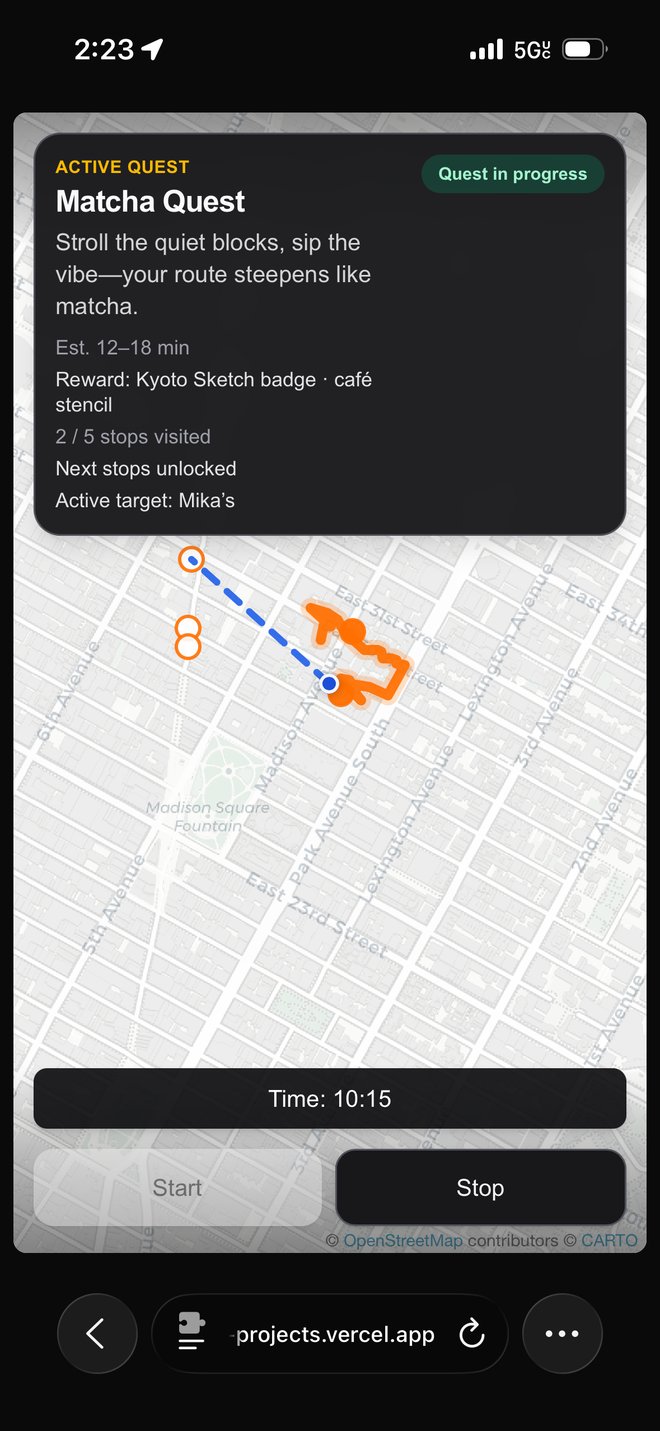
Initial prototype testing the live tracking feasibility
Field testing Scribble outside in Midtown Manhattan with real user
RESULT
Yes, but the mechanics needed work.
- Location accuracy was unreliable.
- The reward felt underwhelming.
- Matching didn't give people anything meaningful to do together.
04 — FIXING THE MECHANICS
Prototype 02 · Three Stops
CHANGE
I integrated the Google Maps API for better live location accuracy, changed the journey into three stops, and implemented Scribble's visual system.
WHAT I TESTED:
Does the overall journey experience work?
Second prototype with design system embedded
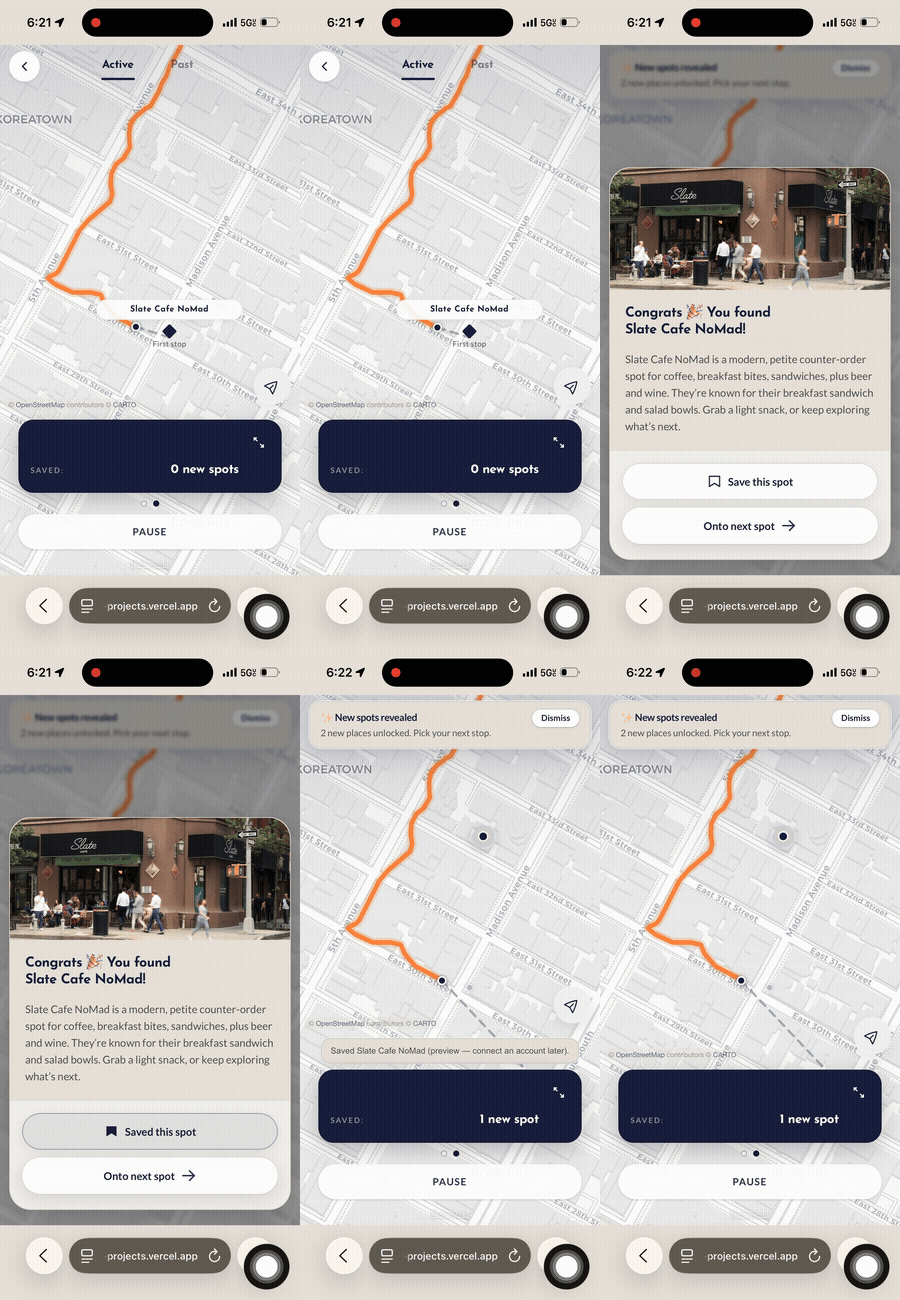
Focused on overall journey and discovery moment
RESULT
Yes, but it still felt too solo rather than like meeting someone new.
Users were also confused about how matched users would unlock things together.
05 — REDEFINING THE EXPERIENCE
Instead of continuing to code the prototype, I returned to Figma and redesigned the experience end-to-end.
01 — REDESIGN
I mapped the complete experience again in low/mid fidelity.
02 — APPLY
I used Claude to apply Scribble's established design system across the new flows.
03 — FINALIZE
I reviewed every screen, refined the interactions, and finalized the experience before returning to code.
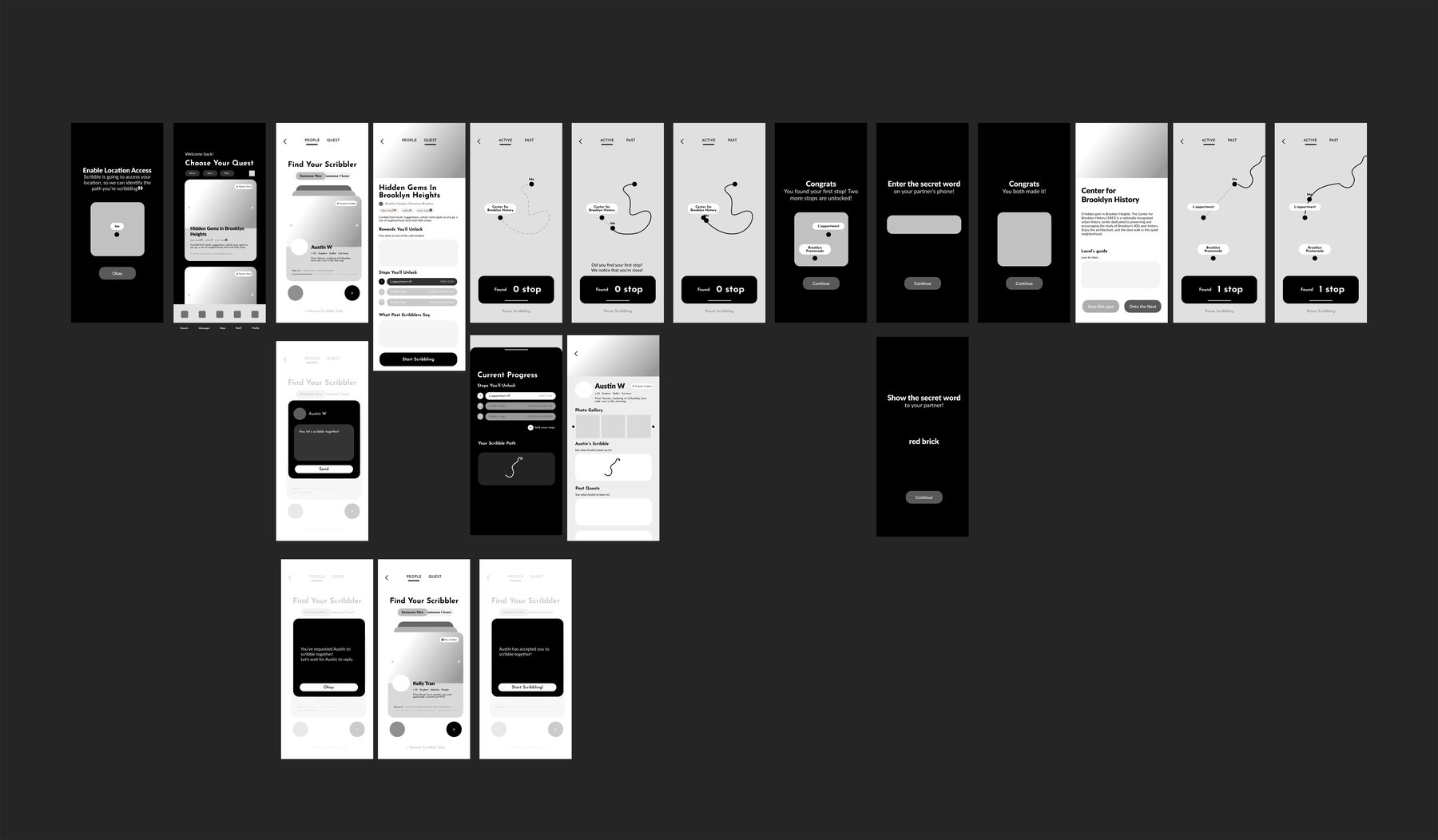
Remapping all screens in Figma before finalizing code in the demo.
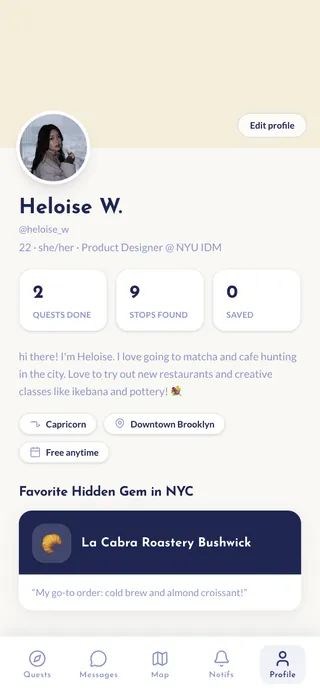
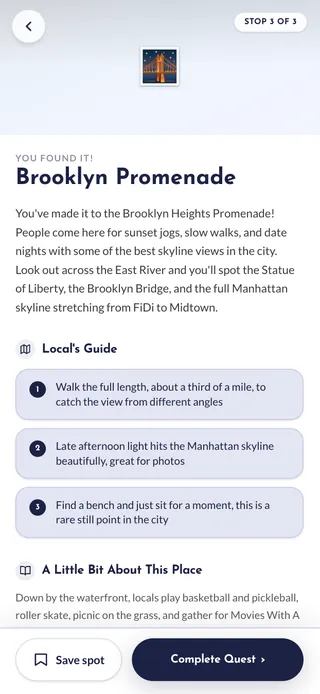
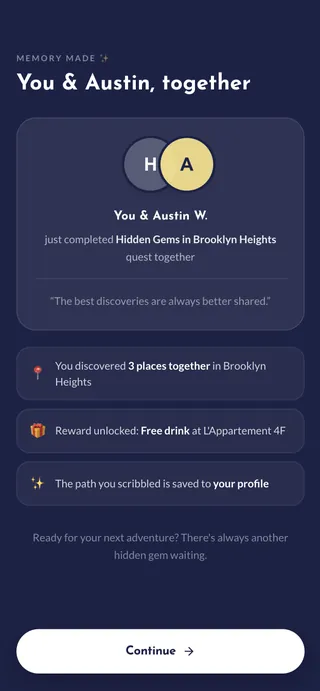
OUTCOME
SCRIBBLE
MATCH→MEET→EXPLORE→MAKE A MEMORY
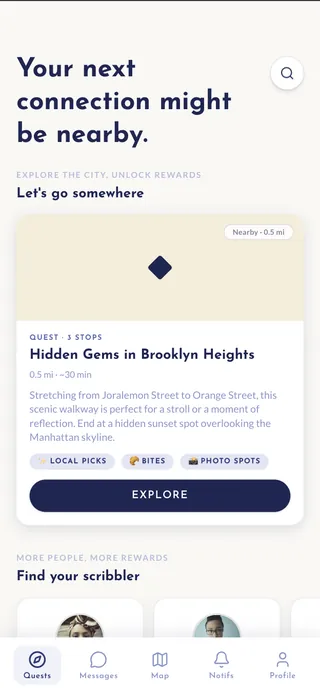
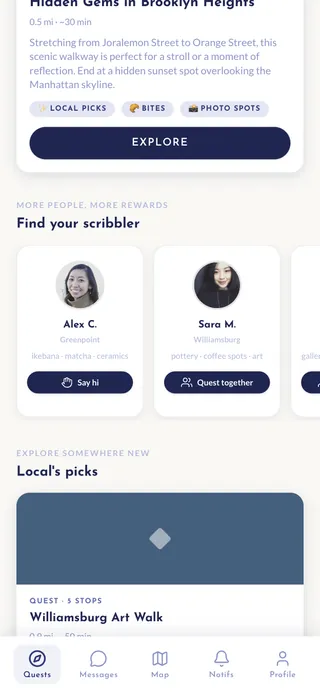
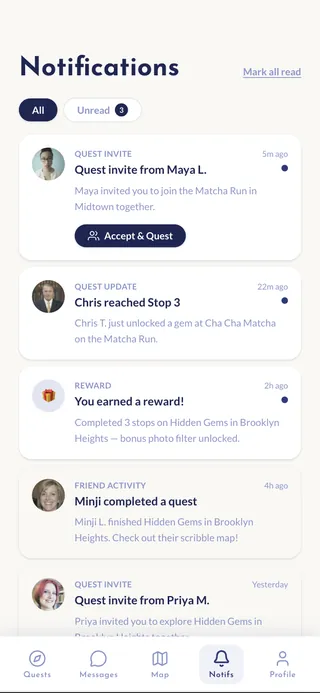
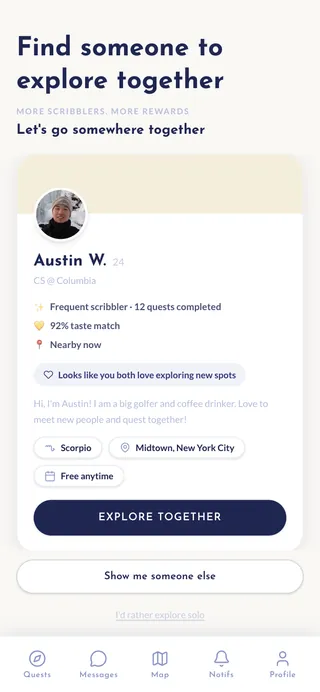
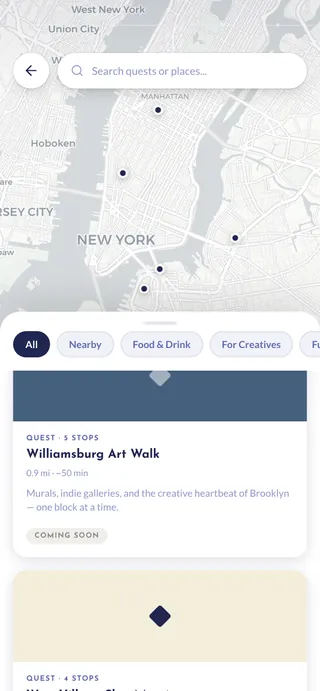
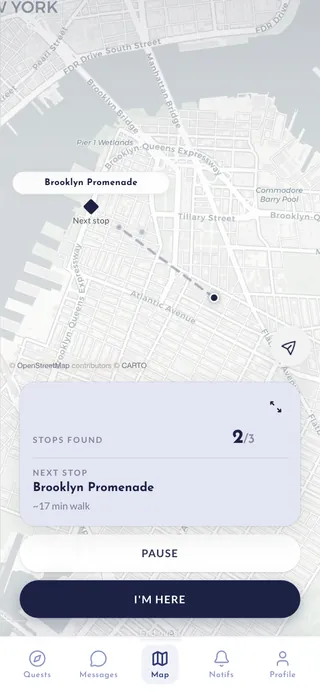
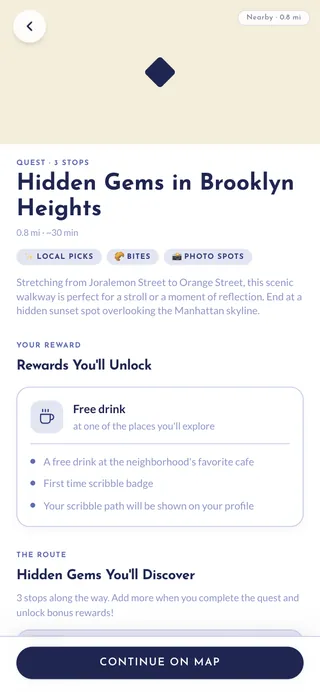
HOW I COLLABORATED WITH AI
My role vs. AI's role
CONCEPT
MY ROLE
Defined the problem, product direction, and core interactions.
AI
Rapidly prototyped sketches to test ideas.
PROTOTYPING
MY ROLE
Defined what needed to be tested.
AI
Helped implement functional prototypes.
UX REFINEMENT
MY ROLE
Reworked flows and made product decisions.
AI
Applied the established system across screens.
WHAT I LEARNED
01
Using AI to accelerate prototyping
I used Claude and Cursor to accelerate prototyping and development, while keeping product decisions grounded in user research, testing, and my own judgment.
02
Test assumptions first
I shipped working prototypes, tested them iteratively with real users across NYC, and that turned feedbacks into revisions of the MVP
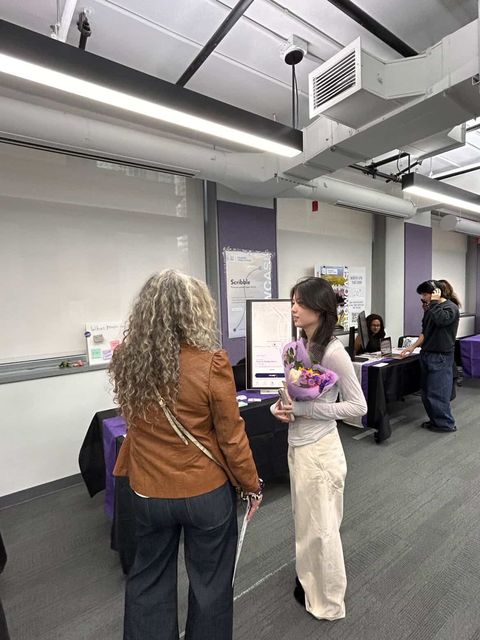
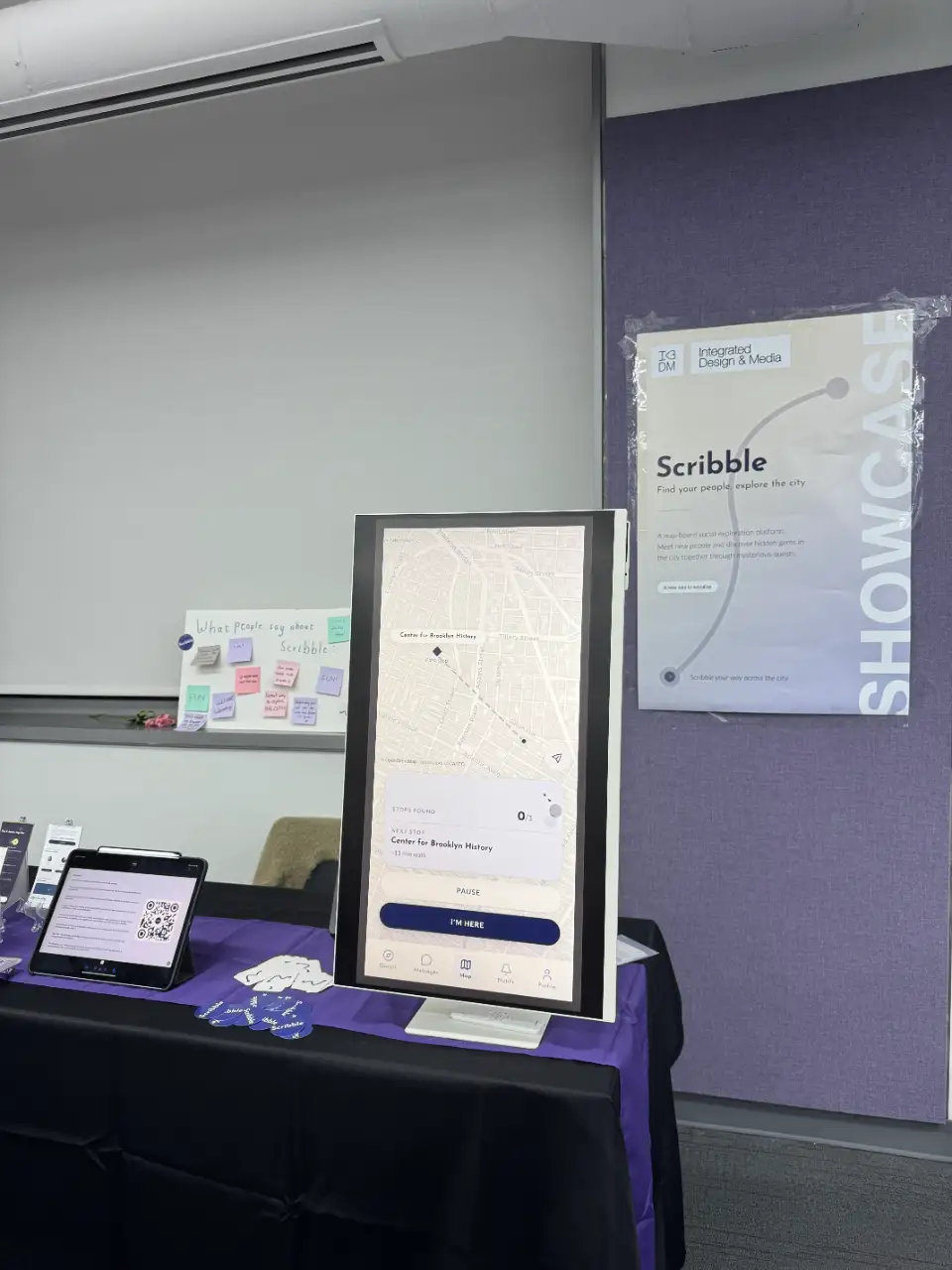
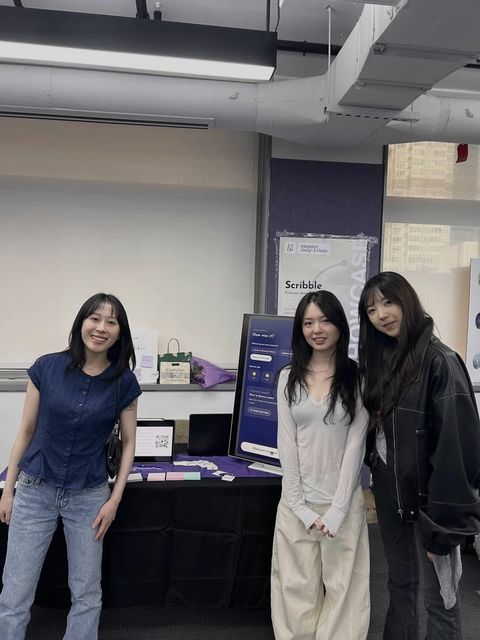
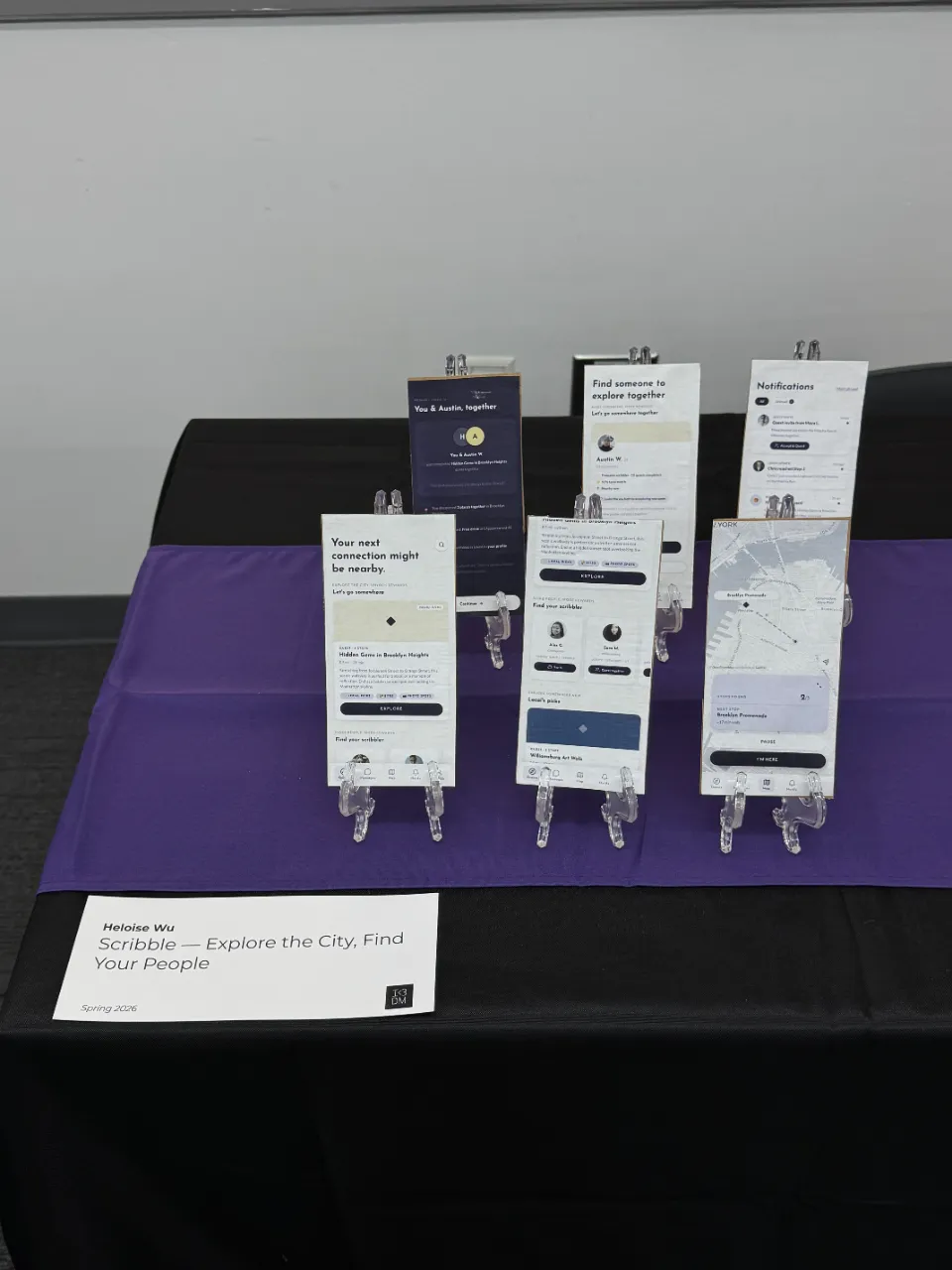
PHOTOS FROM THE SHOWCASE
WHAT PEOPLE SAID ABOUT SCRIBBLE
"Treasure hunt where the treasure is friendship"
"This needs to happen!! off devices... out in town!"
"Great way to explore THE CITY!!"
"Definitely will use this app!!!"